
Glamtush
No Result
View All Result
  • Home
  • News
  • Beauty
  • Business & Brands
  • Entertainment
  • Fashion
  • Features
  • Lifestyle
  • Politics
  • Sports
  • Telenovelas
  • Events
  • Home
  • News
  • Beauty
  • Business & Brands
  • Entertainment
  • Fashion
  • Features
  • Lifestyle
  • Politics
  • Sports
  • Telenovelas
  • Events
No Result
View All Result
Glamtush
No Result
View All Result
Home Features

10 YouTube Tips And Tricks That You Should Know

by editor
September 11, 2020
in Features
Reading Time: 5 mins read
YouTube 2022 End Of Year Lists
Share on FacebookShare on TwitterShare on PinterestShare on WhatsappShare on LinkedinShare on Telegram

10 YouTube Tips And Tricks That You Should Know


YouTube is the world’s most popular online video community, helping people to connect, share, learn and be inspired. In 2019, more than 500 hours of video were uploaded to YouTube every minute. Currently, viewers watch a staggering billion hours of video per day.

While YouTube is known for uploading or watching videos, there is a range of cool things beyond that which you can do with YouTube. With a new design and several new features for mobile and desktop.

Here’s a list of 10 tips and tricks you might not know.

  1. Related videos on mobile

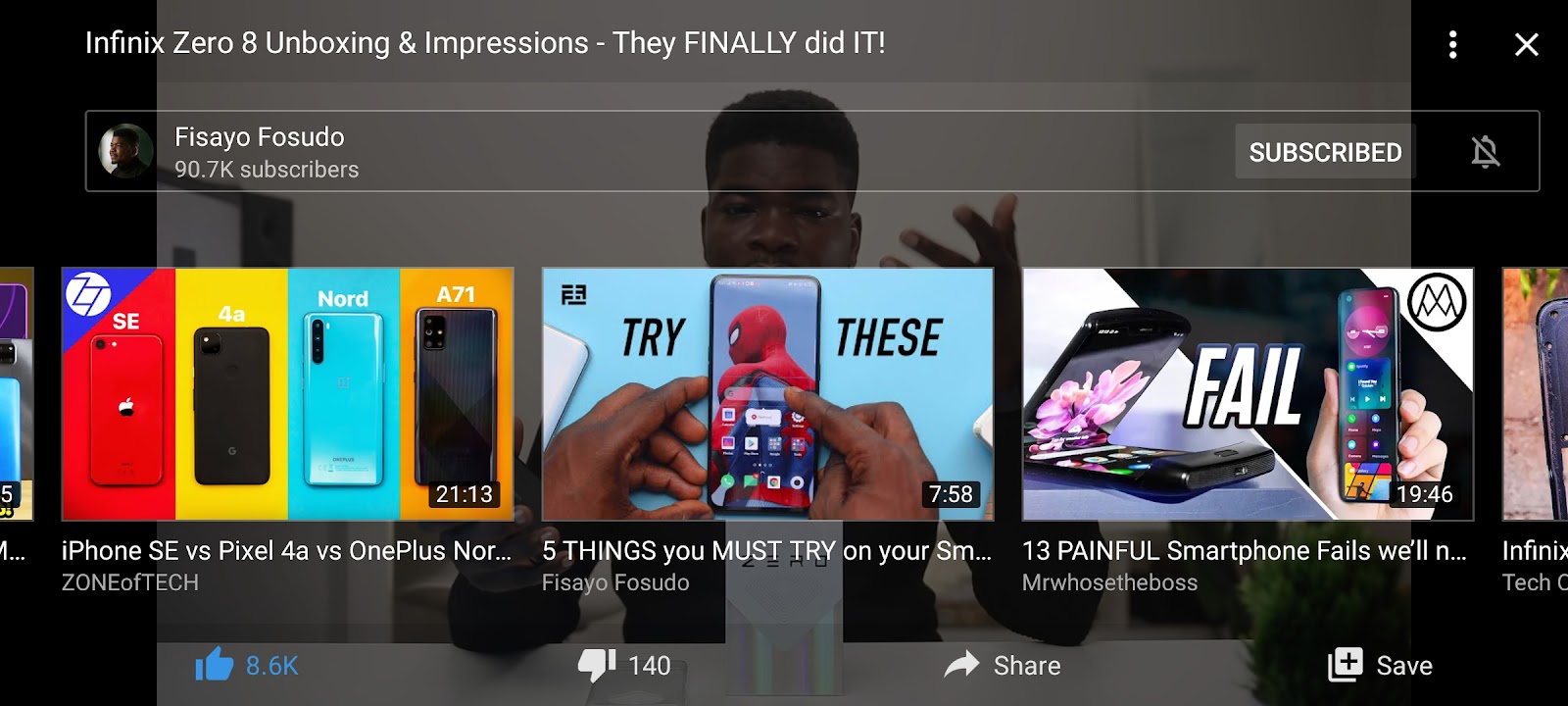
YouTube recently added a feature that allows you to view a row of suggested videos by tapping the screen while you’re watching in fullscreen mode on your mobile device. This way, you can conveniently view and select other interesting videos you may want to watch.


  1. Double tap to seek on mobile

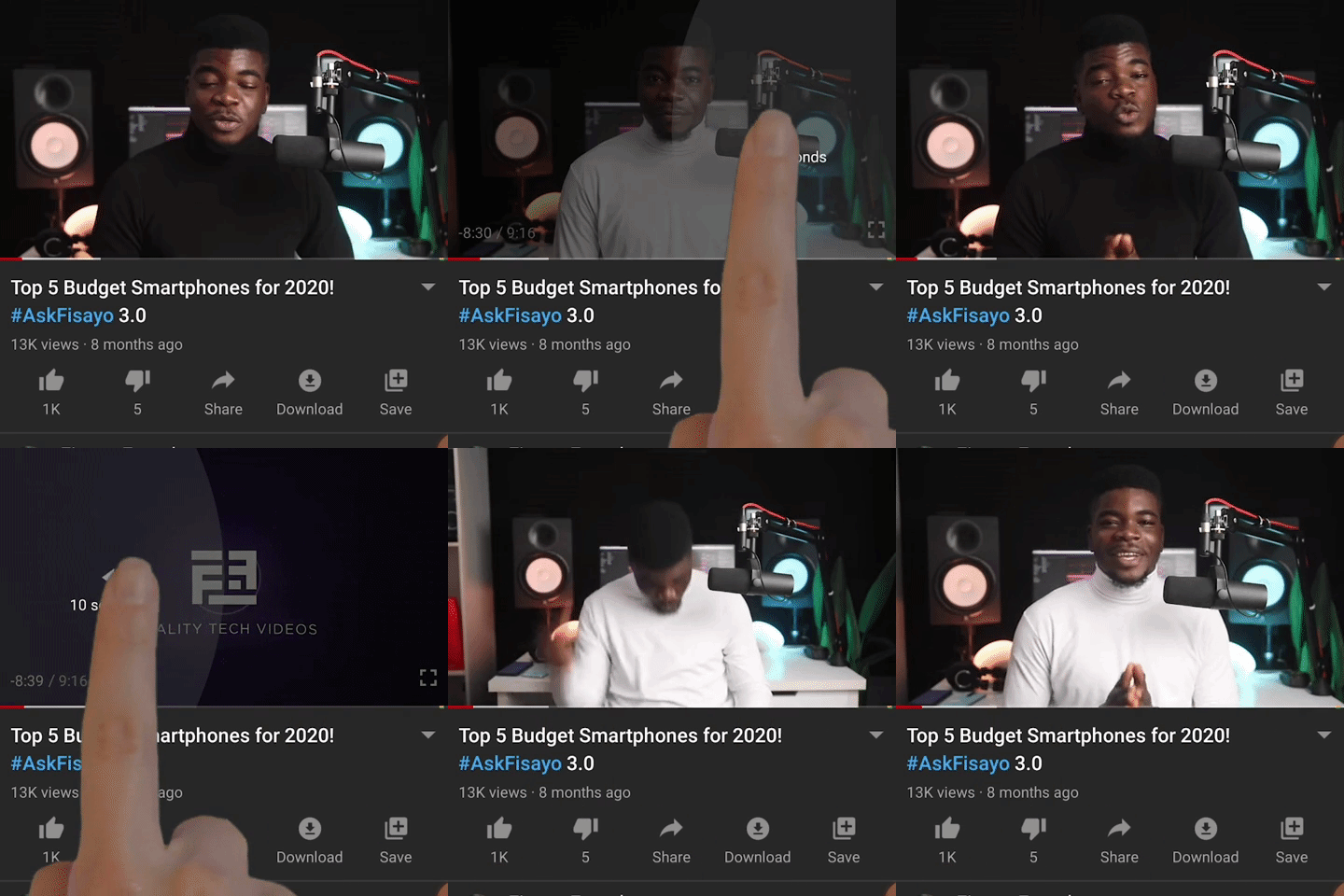
This feature, which was introduced recently, allows you to conveniently skip to interesting points in the video you’re watching. When you double tap to the left or right of a video on your mobile device, you can fast-forward or rewind 10 seconds of the video.


  1. Variable speed on mobile

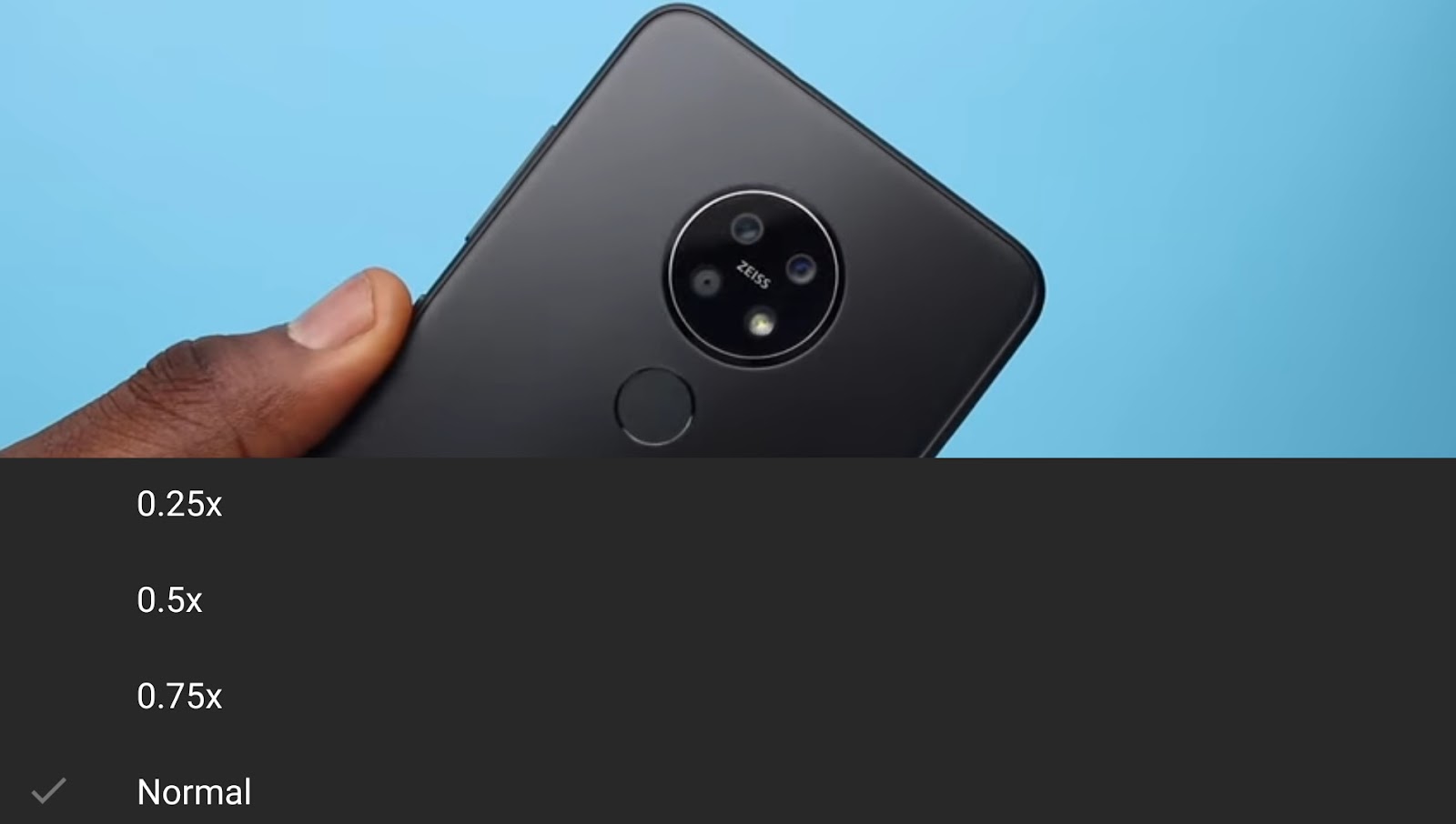
People love the fact that they can speed up and slow down the playback of a video on the desktop. Now YouTube has brought this feature to the mobile app. So you can enjoy videos at whatever speed you prefer, wherever you’re viewing them.


  1. Dark Theme on desktop

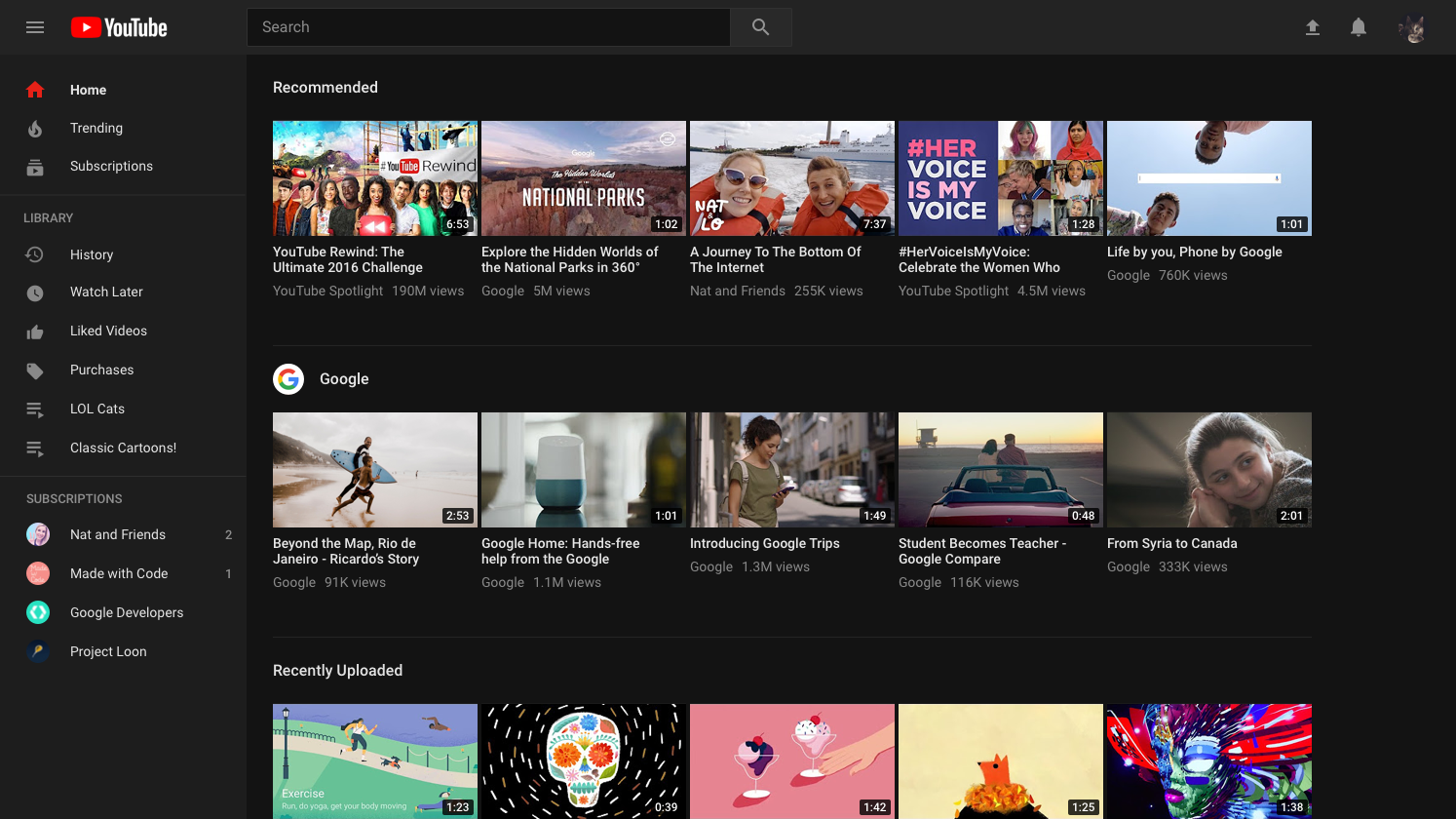
The brand new desktop site has a new feature called Dark Theme. Developed to cut down on glare and let you take in the true colours of the videos you watch, Dark Theme turns your background dark throughout your entire YouTube experience.


  1. Video previews on desktop

When you hover over a thumbnail on the YouTube desktop site, you can now see a preview of the video, giving you a better sense of what each video is about and making it easier to find the next great video to watch.
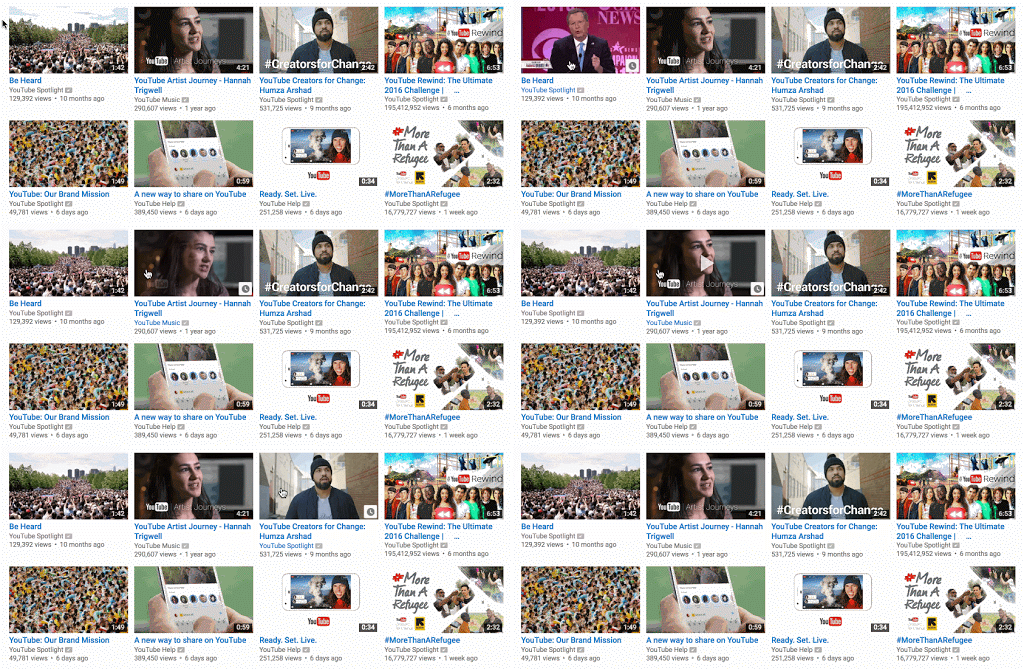
 

GIF_video_previews.gif


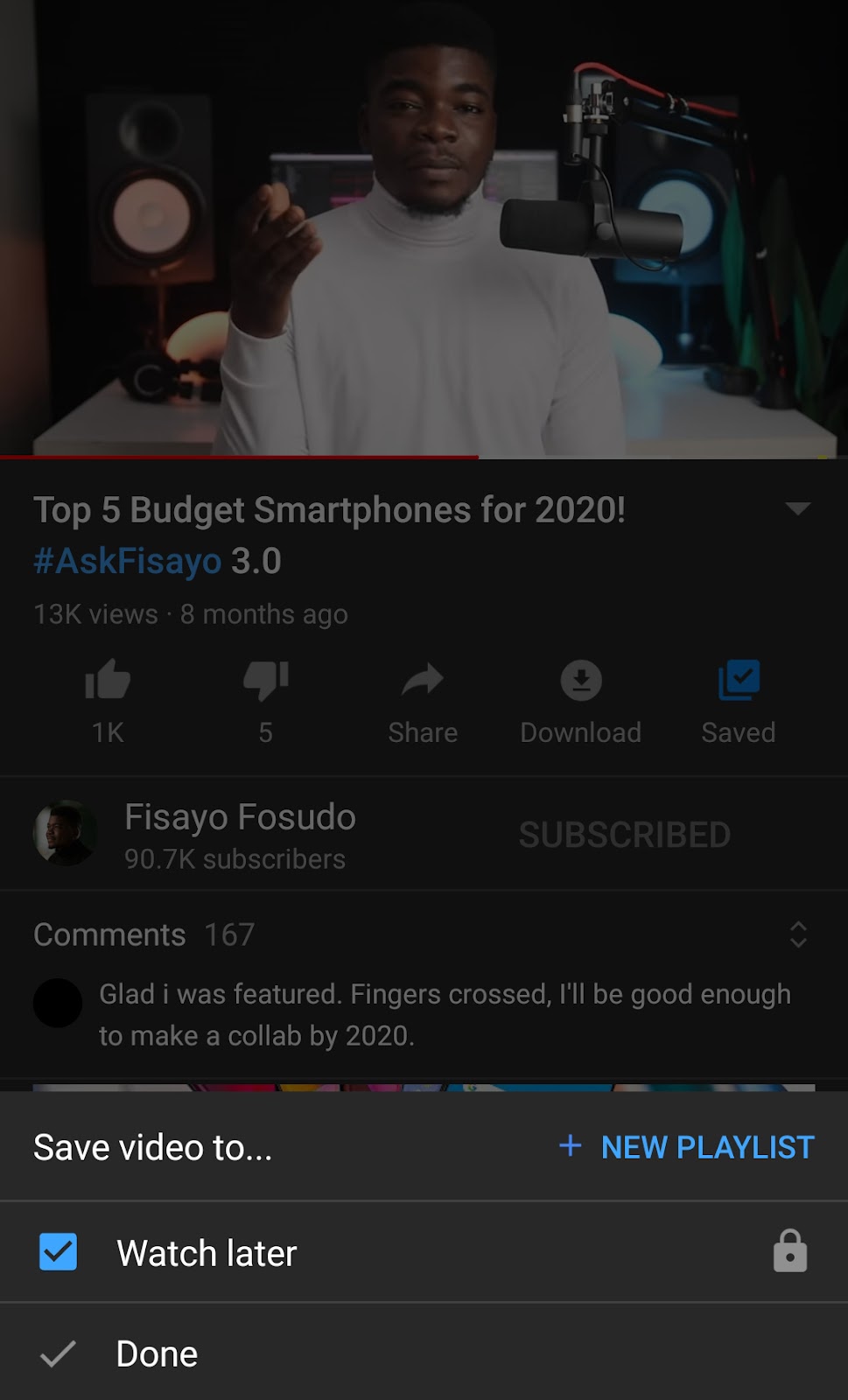
  1. Save videos to watch later

We’ve all been in a situation where we’ve stumbled upon a great YouTube video, but it’s an inopportune time to watch it (you may be in the middle of a work Hangouts meet!). Add a video to watch later by tapping the clock icon on the video thumbnail, or through the “Add to” icon under the video on the watch page.


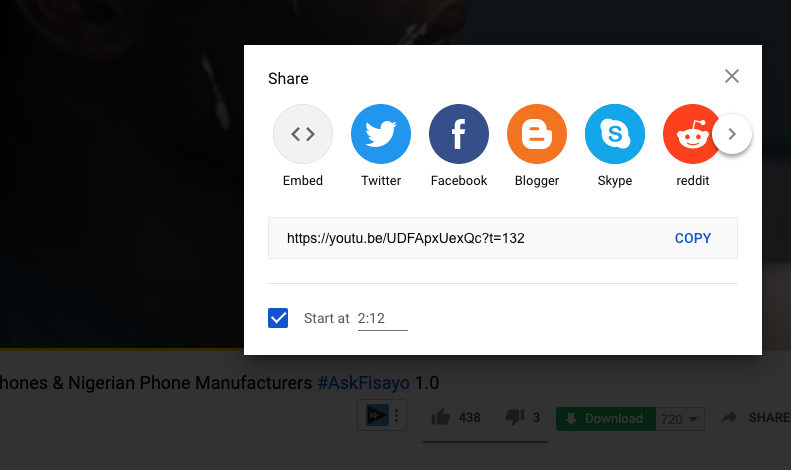
  1. Share a video from a certain time stamp

Did you see something you need to share with your friends? You can share a specific part of a YouTube video by pausing the video, right-clicking and selecting “copy video URL at current time”.


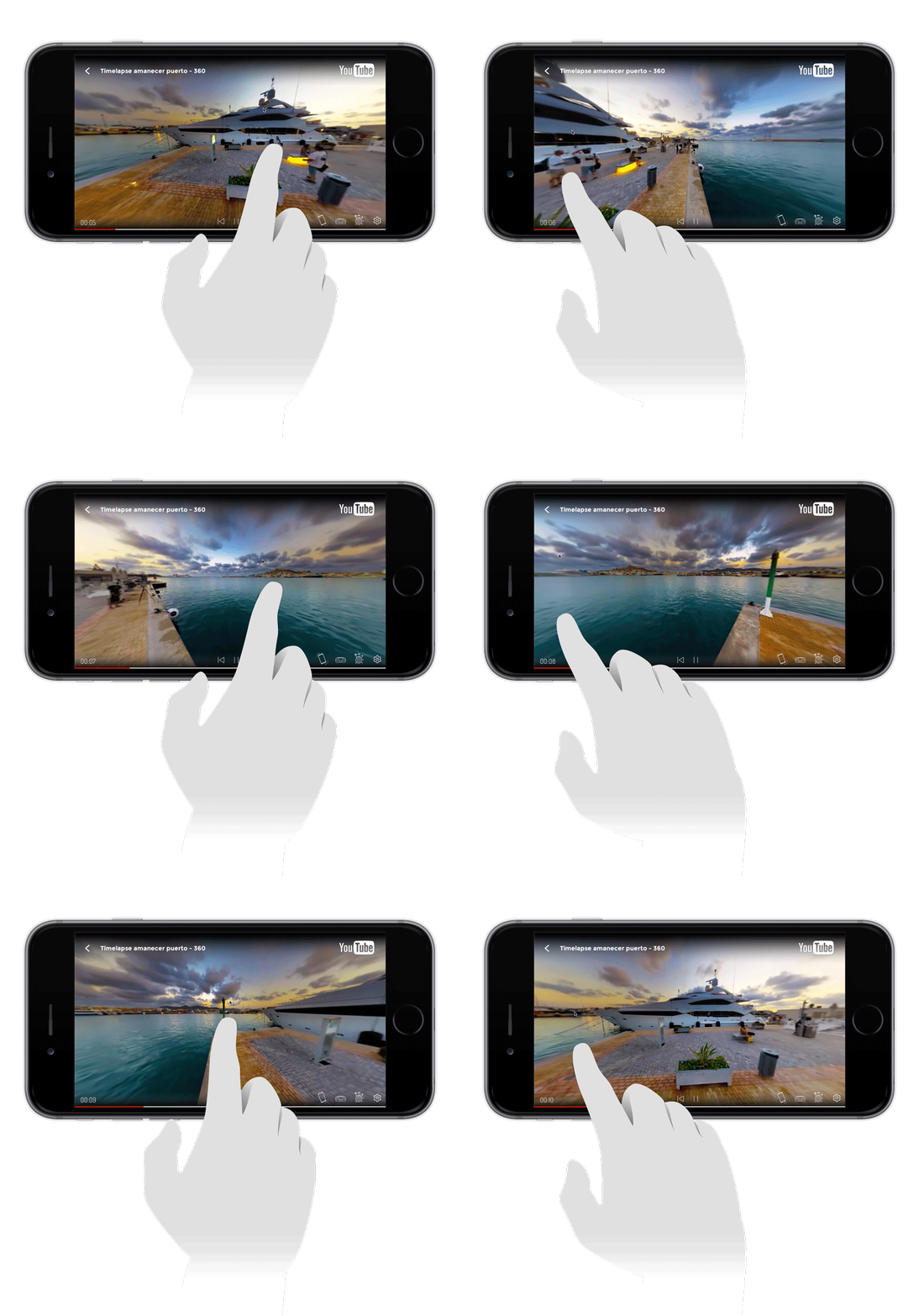
  1. Watch 360-degree videos

Ever wanted to go somewhere you couldn’t? You can now experience places in 3D on YouTube with 360 degree videos. Just move your phone around as you go swimming with sharks, get a first-hand look at a living, breathing dinosaur at the Natural History Museum in London, or watch Tritonal in concert no matter where you are.
 

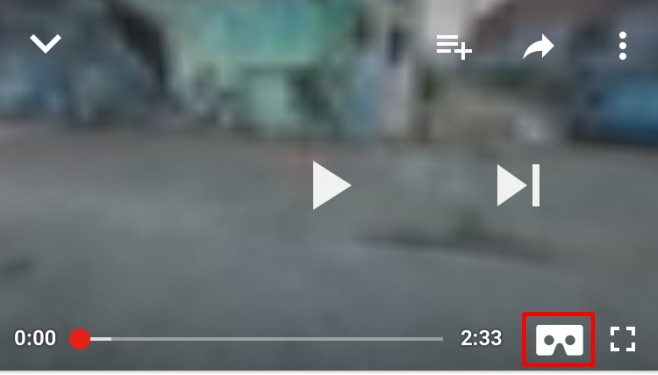
  1. Watch VR videos on a headset

Ready for a more immersive viewing experience? On your mobile device, click the cardboard icon on 360-degree videos and put your phone in your viewer to enter VR mode. Check it out on Google Cardboard or Daydream View headset!


  1. Keyboard shortcuts on your computer

Want to get stuff done quickly? Here are the keyboard shortcuts to use while watching a YouTube video:

  • The numbered keys seek video progress, e.g. hitting “2” will take you 20% into the video, “6” will take you to 60% into the video, “0” will restart the video (0%)

  • “K” will pause or play a video

  • “J” will rewind 10 seconds

  • “L” will fast forward 10 seconds

  • “M” will mute and unmute


Fisayo Fosudo is a top Nigerian YouTuber and Tech vlogger.

Related Posts

Nigerian Businesses
Features

Formidable is not About Size: Why Structure is the Secret to Scaling Nigerian Businesses

August 18, 2026
Asset
Features

The Asset no Creditor can Seize

August 10, 2026
Startup
Features

5 Strategic Communication Moves Every Nigerian Startup Should Implement to Attract Investors 

August 3, 2026
Confidence
Features

Confidence Rarely Arrives Before the Opportunity – Yetunde Oni

July 31, 2026
Nigeria's Banking Sector
Features

How Nigeria’s Banking Sector Can Maximise the Benefits of Recapitalisation

July 30, 2026
2026 FIFA World Cup Semi-Final Fixtures
Features

6 Easy Ways To Enjoy 2026 World Cup With Google And Gemini

June 26, 2026
Next Post
Zoho Workplace

Zoho Workplace Reimagines Work, Brings Business Context To Productivity Apps

Magazine Cover

Nigerian Businesses

Formidable is not About Size: Why Structure is the Secret to Scaling Nigerian Businesses

August 18, 2026
Taiwo Hassan

Popular Nollywood Actor Taiwo Hassan Diagnosed With Stage 4 Cancer

August 17, 2026
NFF Fires Super Falcons Technical Crew

NFF Fires Super Falcons Technical Crew After World Cup Miss

August 17, 2026
Why We Removed Agbebaku

Agbebaku Cites Personal Reasons for Resignation as Edo Assembly Speaker

August 17, 2026
Dancing Adeleke

Dancing Doesn’t Stop Me from Doing My Job – Adeleke

August 17, 2026
Inflation Rate Drops to 15.43%

Inflation Rate Drops to 15.43% — NBS

August 17, 2026
Ferrari’s First-Ever Electric Car

Ferrari’s First-Ever Electric Car Sells for $40m

August 17, 2026
Hayden Panettiere

US Actress Hayden Panettiere Passes Away at 36

August 17, 2026
Why We Removed Agbebaku

Why We Removed Agbebaku – New Edo speaker

August 17, 2026
Why We Removed Agbebaku

Edo Assembly Speaker Agbebaku Resigns

August 17, 2026

GPBN Associates Member

GLAMTUSH


Glamtush publishes the latest trends in fashion, beauty, and lifestyle, as well as those making the fashion world interesting and adorable.

Fidelity Bank

GLAMTUSH

Glamtush publishes the latest trends in fashion, beauty, and lifestyle, as well as those making the fashion world interesting and adorable.


RELEVANT PAGES

  • About Us
  • Advertise
  • Contact Us

REACH OUT

Do you have any news for us? Event Coverage, Press Releases or Adverts? Then reach out to us via glamtush@gmail.com or glamtush15@gmail.com

OFFICE ADDRESS

Lagos, Nigeria

Copyright © 2022 Glamtush

  • About Us
  • Advertise
  • Contact Us
  • Disclaimer
  • Glam Tush – Naija News & Entertainment News
  • Glamtush – Nigeria News, Nigerian Newspapers, Naija News
  • Latest Naija News Today
  • Terms And Conditions
  • Write for Us

© 2026 Glamtush

No Result
View All Result
  • Home
  • News
  • Beauty
  • Business & Brands
  • Entertainment
  • Fashion
  • Features
  • Lifestyle
  • Politics
  • Sports
  • Telenovelas
  • Events

© 2026 Glamtush