
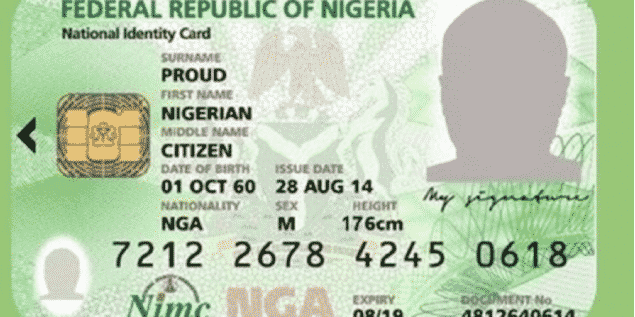
How To Link Your NIN With Your Mtn, Glo, 9mobile Or Airtel Phone Number has been shared below.
Glamtush understands that the Federal Government has ordered telecommunications operators to immediately bar all outgoing calls of all Subscriber Identification Module cards that have not been linked with the National Identification Number (NIN).
The telecommunications operators include MTN, Globacom, Airtel, and 9mobile.
The Federal Government had mandated telecommunications subscribers to link their SIMs with their NINs in December 2020, as part of its “security and social policies”.
The deadline for the registration had been extended on multiple occasions, the last being March 31 when the government said it had extended it by “a few days.”
But in a statement on Monday, Minister of Communications and Digital Economy, Isa Pantami, ordered telecommunications operators to bar outgoing calls from unlocked SIM cards, effective today, April 4, 2022.
Pantami said that the move was part of the implementation of the NIN-SIM linkage Policy of the government.
The statement was jointly signed by the Director, Public Affairs, Nigerian Communications Commission, Ikechukwu Adinde; and Head, Corporate Communications, National Identity Management Commission, Kayode Adegoke.
“Accordingly, Mr. President graciously approved the many requests to extend deadlines for the NIN-SIM linkage. At this point, however, Government has determined that the NIN-SIM Policy implementation can proceed, as machinery has already been put in place to ensure compliance by citizens and legal residents. The implementation impacts on Government’s strategic planning, particularly in the areas of security and socio-economic projections.”
“President Muhammadu Buhari has approved the implementation of the Policy with effect from the 4th of April, 2022. Consequently, the Federal Government has directed all Telcos to strictly enforce the Policy on all SIMs issued (existing and new) in Nigeria.
“Outgoing calls will subsequently be barred for telephone lines that have not complied with the NIN-SIM linkage Policy from the 4th of April, 2022.
“Subscribers of such lines are hereby advised to link their SIMs to their NINs before the Telcos can lift the restriction on their lines. Affected individuals are hereby advised to register for their NINs at designated centres and thereafter link the NINs to their SIMs through the channels provided by NIMC and the Telcos, including the NIMC mobile App,” the statement read.
Here are a few steps to link your phone number with your NIN;
How to link your NIN with your MTN Phone number
- To link your NIN to an Mtn number, simply dial *785# using the mtn phone number you wish to link, enter your NIN and submit or;
- Dial *785#Your NIN# from the mtn phone number you wish to link. The number will be linked to your NIN automatically.
- Visit https://mtnonline.com/nim/ using your phone or computer.
- Complete the NIN linking form by entering your name, mtn phone number, NIN, and email address.
- Submit the form as soon as you’re done.
- Wait for feedback from the network.
How to link your NIN to your Airtel Phone Number
To link your NIN to your Airtel phone number, follow the steps below:
- Dial *121# on the Airtel line you wish to link.
- Type 1 for “NIN Capture” and send.
- Enter your 11-digit NIN and send.
- Wait for the message confirming your submission. If you get an error, just wait for some time and try again.
How to link your NIN to your Glo and 9mobile Phone numbers
- For the other networks, you simply visit the nearest office of your service provider (Glo or 9mobile) to register/link your NIN.
- Go with NIN and your SIM pack or call the customer care line of your service provider.
- 9mobile said it is making effort to develop a system that would make things simple for its customers. You can check your NIN status by dialling *346# from your 9mobile line.
And @MTN180 told me to visit @nimc_ng office to add my other sim number ???? https://t.co/zDYaW8a19p
— Femi Ajenifuja ???????? (@femi_ajenifuja) December 17, 2020
Don’t wait till it’s too late. Link your National Identification Number (NIN) to your phone number. Just dial *121*1# now to link, and *346# to know your NIN. pic.twitter.com/q5sQ2Dbe6r
— Airtel Nigeria (@AirtelNigeria) December 17, 2020